Stay in the flow. Keep creating.
Thirteen keys for the actions you reach for all day. Undo, zoom, tools and views in Shapr3D, one key each, so your eyes stay on the canvas.

Thirteen keys for the actions you reach for all day. Undo, zoom, tools and views in Shapr3D, one key each, so your eyes stay on the canvas.
An iPad with Pencil is a great place to design, until you reach for the menu for the hundredth time. Keyflow puts those actions under your other hand.
No modifier gymnastics. Each key does exactly what its icon shows.
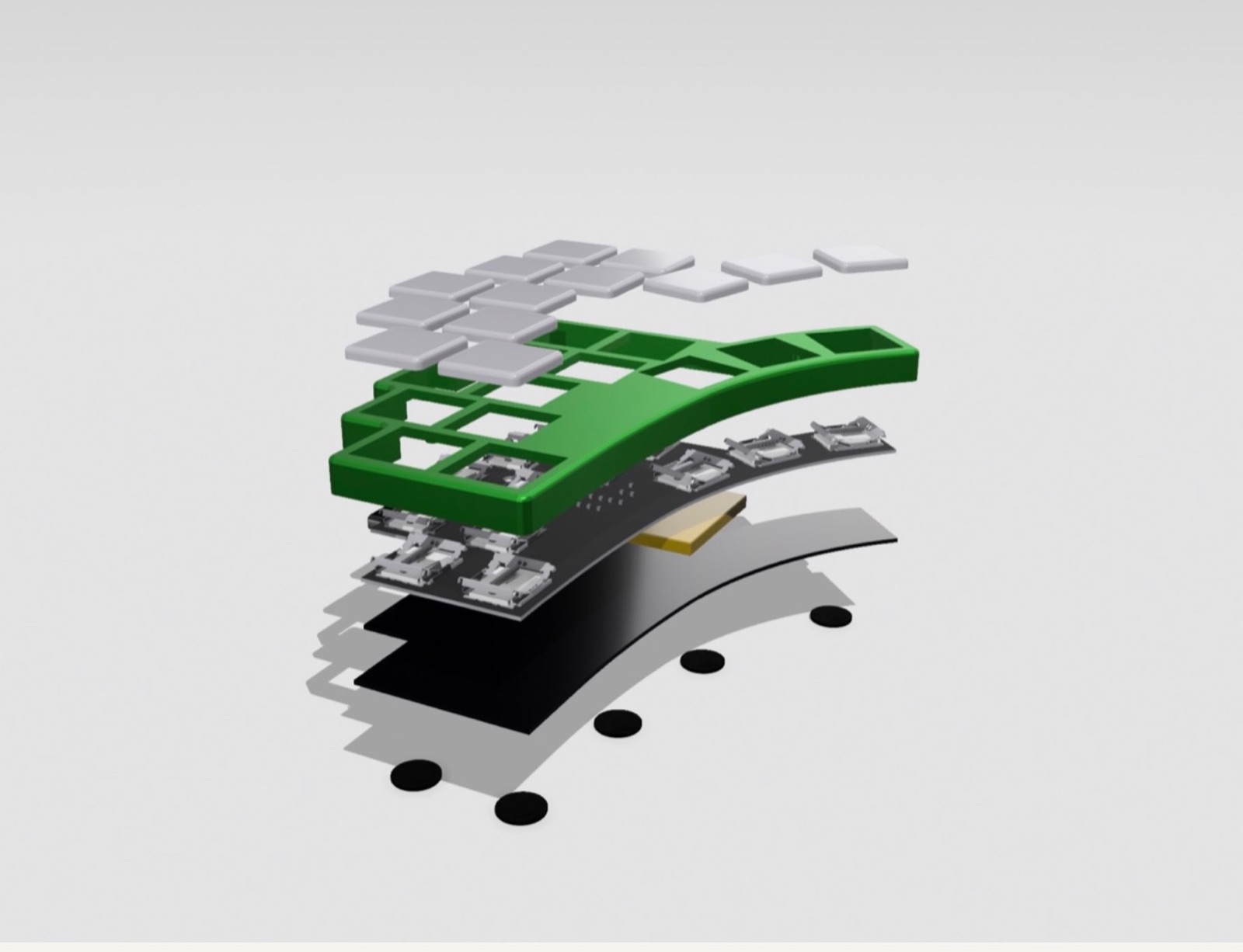
Two arched rows follow your fingers, and a three-key arc sits under the thumb.
Bluetooth to your iPad, Mac, PC or Android. Coin cells inside, nothing to plug in.
Five plus five keys on an arch that matches how fingers rest, and three thumb keys fanned at 15°, 30° and 45°. Low-profile switches keep the whole pad flat on the desk.
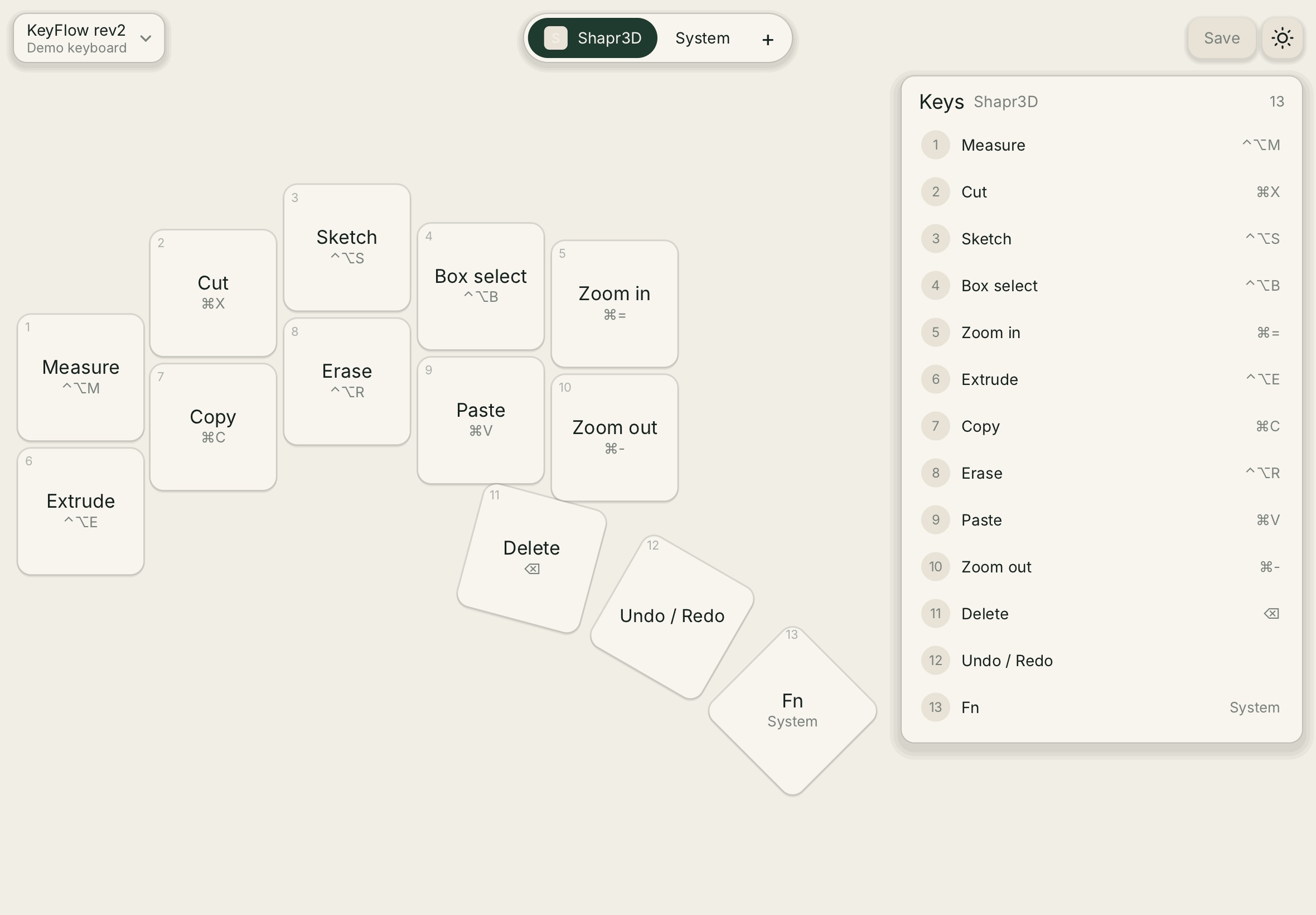
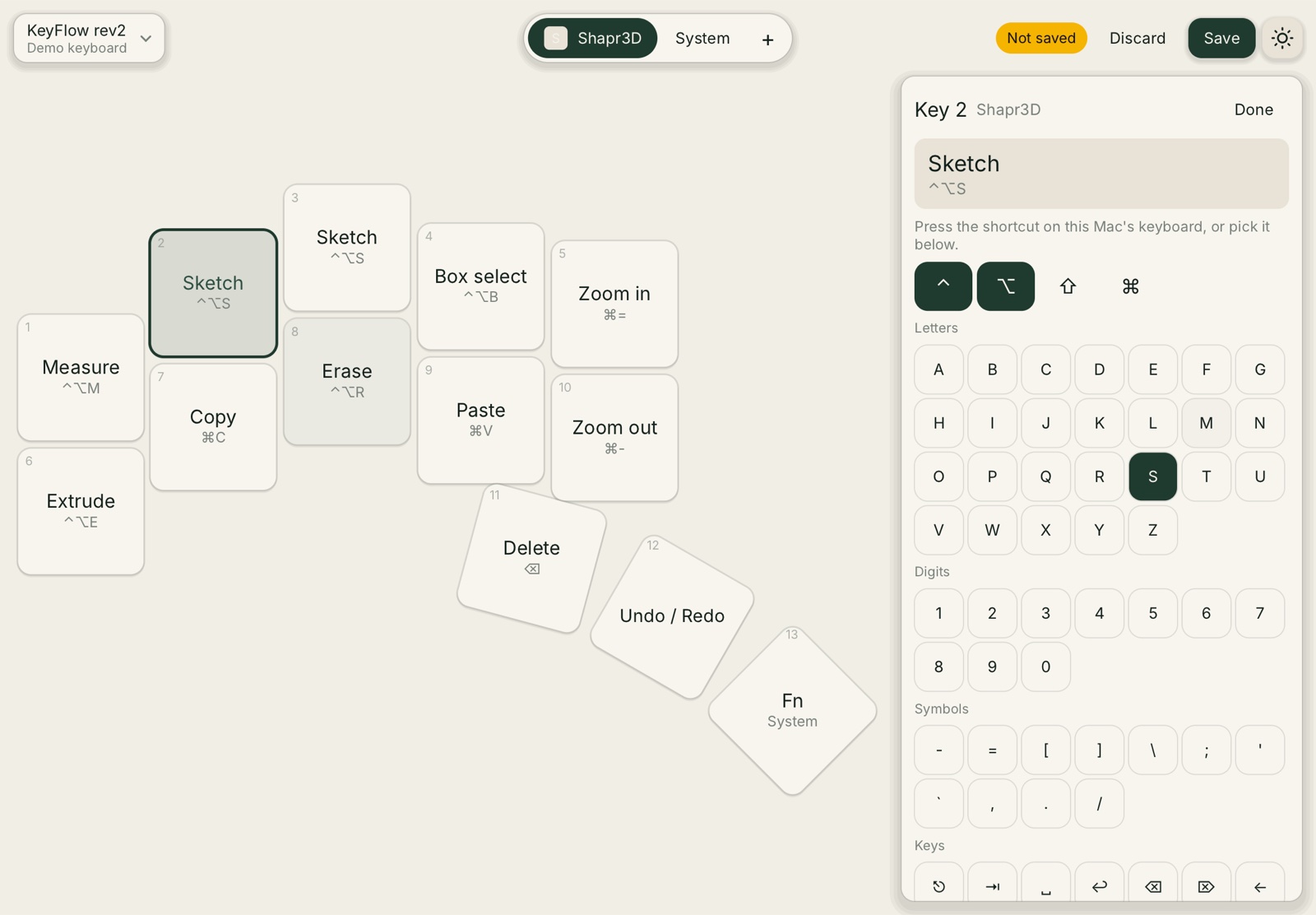
The KeyFlow app draws the pad as it sits on your desk. Tap a key, press the shortcut or pick it from the list, and save it to the keyboard over Bluetooth.
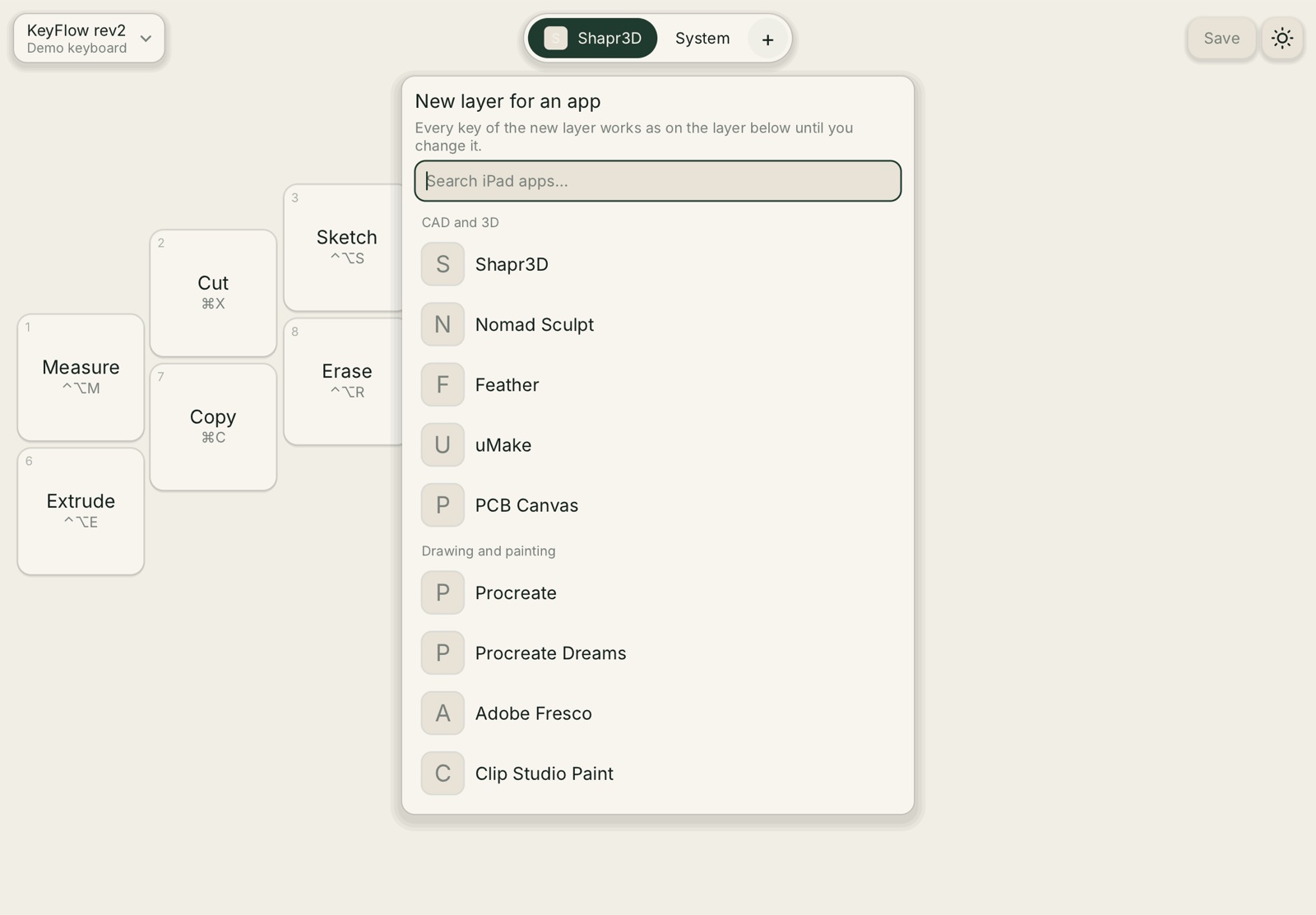
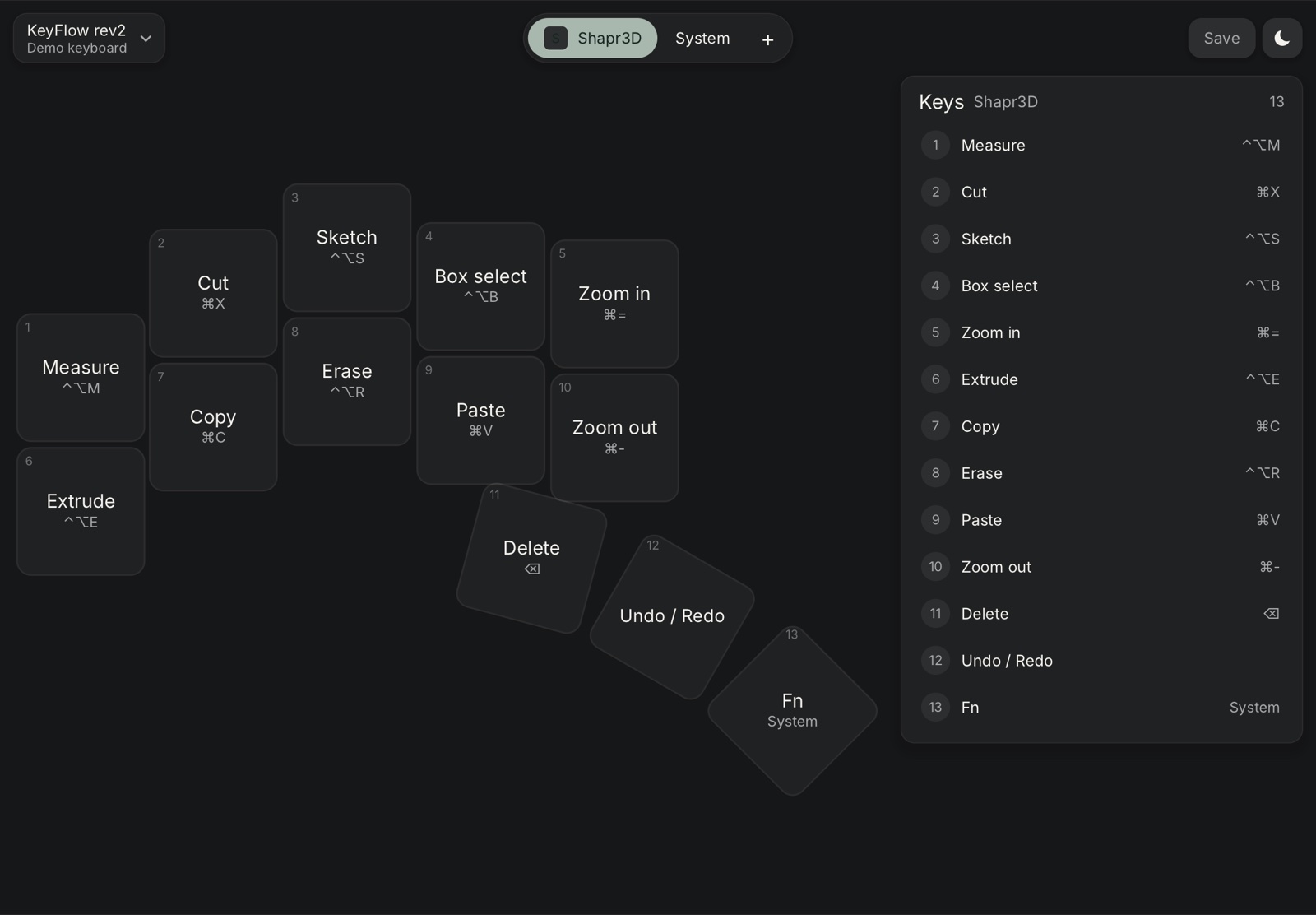
Add a layer for Shapr3D, Nomad Sculpt, Feather, uMake, PCB Canvas, Procreate, Procreate Dreams, Adobe Fresco, Clip Studio Paint or any other iPad app.
Add a layer for the app you work in. Keys you leave alone work as on the layer below.
Press the combination on a keyboard, or build it from modifiers, letters and system keys.
Save writes the layout into KeyFlow, so it works the same on every iPad, Mac or PC.
Keyflow is designed and built by one person in Brno. Follow along as it gets from prototype to the first batch.


Milled aluminium body, working keys.
New board, coin cells, Nordic chip.
Key mapping from the iPad and Mac.
Small run for early users.